The short answer: In the first 90 days, buyers watch how fast your item sells per store against the category and the item it replaced, whether it stays in stock, and whether reorders reflect shoppers buying. Track the same numbers weekly, fix problems early, and send the buyer a short recap before the review.
“We got the slot.” It is a great day for any brand. It is also the first day of a test.
Once a new item ships, the buyer starts keeping score. Some retailers review new items within a set window after launch, and the rest still watch the numbers. By review time, the buyer has usually decided whether to keep the item, cut it, or give it more room.
Getting the slot is the start, not the win
A new item takes space from something. Often it replaced an item that was selling, and the buyer bet that yours would do better. The buyer has to answer for that bet.
When you pitched, you made promises: a velocity estimate, a marketing plan, demos, digital support, and a ship date. The first 90 days are when the buyer checks those promises against the shelf. The work after the authorization matters as much as the work that won it.
What buyers watch in the first 90 days
Every buyer is a little different, but most read the same signals.
- Velocity against the category. Units per store per week, compared with the category and with the item your product replaced.
- The ramp. Whether velocity is climbing week over week as more stores get product and shoppers find it, or sitting flat.
- In-stocks and out-of-stocks. An empty slot cannot sell, and it looks like a weak item on the report.
- Sell-through versus pipeline fill. The opening order fills distribution centers and shelves. Real reorders come when shoppers buy through that stock, and buyers can tell the difference. We explain how to keep the two apart in How to Build a Launch Forecast That Buyers and Lenders Will Both Believe.
- Promo versus baseline. How much volume came on deal weeks, and what the item sells at full price.
- Supply performance. Fill rate, on-time delivery, and deductions. Shipping short or late creates work for the retailer, and buyers remember it.
- Did you do what you said? Marketing support, demos, digital, store-level execution, and whether the product is on the shelf where the plan says it should be, known as planogram compliance.
At the review, all of this adds up to one of three calls: keep the item, cut it, or expand it with more stores, facings, or items.

Velocity is the headline, and context is everything
Velocity on its own means little. Example math, with made-up numbers: say your item sells 1.5 units per store per week. If the category runs about 1.2 and the item you replaced was doing 1.0, you look like a good bet. If the item you replaced was doing 2.0, the buyer gave up sales to make room for you.
Trend matters as much as the number. Buyers expect a ramp, because not every store sets the item on day one and shoppers need time to find it. A line that climbs tells a better story than one that starts strong and fades.
Ask how the retailer calculates velocity. Per authorized store and per selling store can tell different stories early, when some stores have no product yet.
What to track every week
Build a one-page scorecard and update it the same way every week.
- Units and dollars sold, total and per store
- Velocity per store per week, against the category and the replaced item when you can get them
- Stores selling versus stores authorized
- Stores with zero sales, and for how long
- Retailer orders, with the opening order separate from reorders
- Promo weeks flagged, so baseline weeks stand on their own
- Your fill rate, on-time shipments, and every deduction with its reason
- What you delivered: demos run, digital live, store visits made
Where does the data come from? Many retailers give suppliers a portal or report with sales and inventory by store and week, and some charge for more detail. Your broker or distributor may have reports too. Syndicated scan data shows the category around you, if your budget allows. Your shipping records show fill rate and on-time delivery, and deductions show up on the retailer’s payments.
If you want a second set of eyes on your scorecard before your first review, grab 15 minutes with us and bring your latest retailer data.
Store-level execution: what the spreadsheet cannot show
The data can tell you a store sold nothing last week. It cannot tell you why. The product might be in the back room, on the wrong shelf, or missing its shelf tag. A display you paid for might never have gone up.
You have a few ways to get eyes on shelves:
- Brokers. Many offer retail coverage teams that visit stores, check sets, and fix problems. Ask what is included and how they report it.
- Merchandising services. Third-party merchandisers can be hired for a set number of store visits, resets, or audits.
- Distributor reps. They may check shelves, but they carry many brands. Give them a reason to care about yours.
- Your own field visits. Walk stores yourself, especially early. Take photos and write down what you find.
Start with the stores that show zero or low sales. That is usually where the fix is.
How to spot trouble early, and what to do about it
Trouble shows up in the weekly numbers before it shows up at the review. Watch for stores with zero sales several weeks in a row, velocity that stays flat when it should ramp, sales that jump on promo weeks and then fall below where they started, reorders that lag sell-through, and deductions you do not understand.
Fix out-of-stocks first. Find where the problem sits. Late or short shipments from you, low orders from the distribution center, and product stuck in a back room each need a different fix.
Shift support to the stores that are working. Demos, local digital, and field visits spread thin across every store rarely move the total. Put more behind the stores where shoppers are already responding, and learn what is different there.
Run a planned promo with a purpose. Not a reflex discount. A promotion to drive trial, support a demo, or back a feature, with a clear goal, a set end date, and a plan to measure baseline afterward.

Promote enough, but do not train shoppers to wait
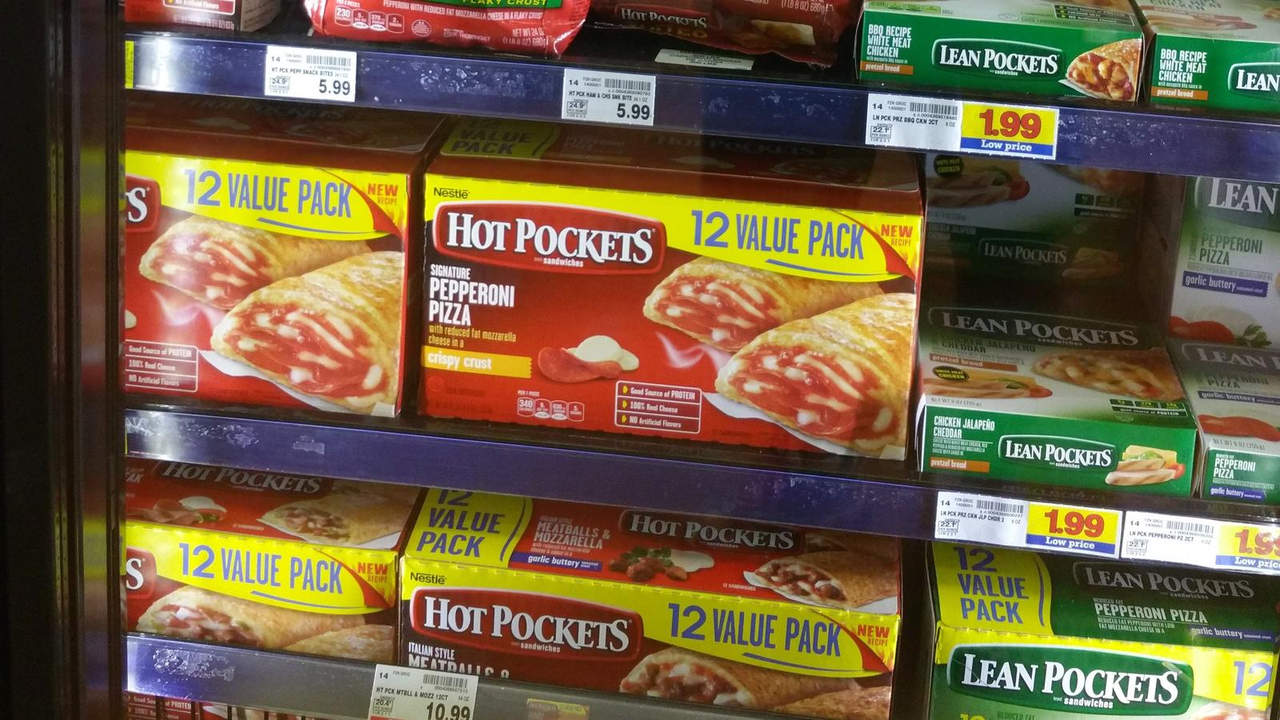
A new item needs trial, and a well-timed promotion can put it in baskets that would never have found it. But if every good week is a deal week, the buyer sees an item that only sells on discount. Shoppers learn to wait for the deal, and margin shrinks with every event.
Baseline velocity, what the item sells at full price, is what keeps the slot. Give every promotion a purpose, a cost, and a way to measure what it did after it ended. If baseline holds higher, the promotion earned its cost. If baseline drops back, it bought volume you did not keep. We wrote more about that trade-off in Trade Spend Is Not Marketing: How Promo Dollars Quietly Kill Your Margin. There is no perfect formula, and the balance is hard to get right.
Talk to the buyer before the review
Do not wait for the review to learn where you stand. A few weeks before it, send a short recap, one page or a brief email:
- How the item is selling: velocity against the category and the replaced item, and the trend
- In-stocks: where you had problems and what you fixed
- Promotions: what each one did, and where baseline landed afterward
- What you delivered against what you promised
- What is next: your plan, and what you would like to ask for
Be honest about the soft spots. A buyer who hears about a problem from you, with a fix attached, has more reason to trust you than one who finds it in the report.
What to do this week
Start with four steps.
First, build your one-page weekly scorecard from the list above, and fill in the weeks you already have.
Second, find out which retailer data you can get, and ask your buyer which reports they use, so you both read the same numbers.
Third, list the stores with zero or low sales, and decide who will visit them: your broker, a merchandiser, or you.
Fourth, write down every promise you made in the pitch, mark what is done, and put the rest on the calendar before the review.
The first 90 days also show you where your item fits. If it works in some store types and struggles in others, use that to plan the next account by channel and store type, with the right hero item, pack, and price for each. We walk through that thinking in Not All Shelves Are Equal: How Store Type Decides Your Hero SKU and Your Price.
To talk through your first 90 days on shelf, grab 15 minutes with us.